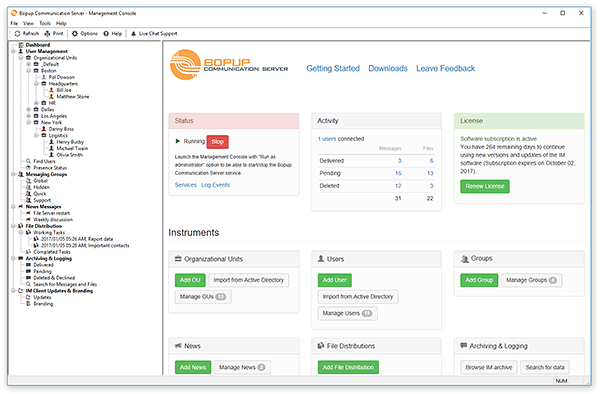
New version 5.2.9 of Bopup Communication Server has been released. In this release we tried to implement recent requests and suggestions we got from our customers. See the list of changes below.
What's new:
Added option to block user's password
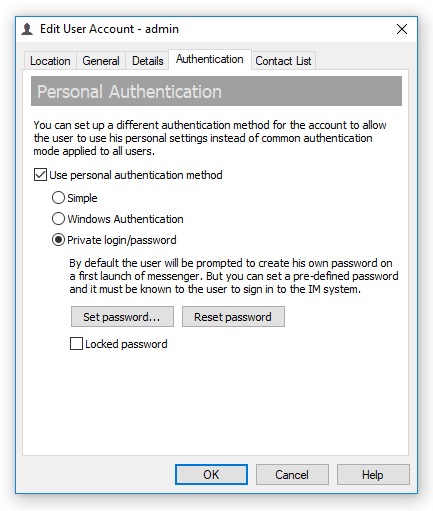
There is a new setting added to the user's properties dialog in the server console. Now it is possible to prevent changing password by user himself from the messenger software by checking "Block password" option on Authentication tab. It works only if Private login/password authentication is used for the user (set globally or personally).
Send messages to all or only connected users from a command line interface
We extended BCSCmd.exe command line tool that added support to send messages to all user accounts on the communication server. So it is possible to deliver an instant message to only currently connected (online) users or all users on the server with /OFFLINE switch.
Backup SQL database from a command line
Another great improvement is option to make backup files of IM server database using the same BCSCmd.exe command line utility. It can be now called from Windows Task Scheduler to make database backups regularly with saving data into specified folder/file path.
Minor useful improvements and additions
New version of the communication server also includes update version of IM Client Configuration Tool, improved bulk edit of user accounts and many more.
Download Bopup Communication Server version 5.2.9 — A ultra-safe instant messaging server for self-hosted communications
What's new:
Added option to block user's password
There is a new setting added to the user's properties dialog in the server console. Now it is possible to prevent changing password by user himself from the messenger software by checking "Block password" option on Authentication tab. It works only if Private login/password authentication is used for the user (set globally or personally).
Send messages to all or only connected users from a command line interface
We extended BCSCmd.exe command line tool that added support to send messages to all user accounts on the communication server. So it is possible to deliver an instant message to only currently connected (online) users or all users on the server with /OFFLINE switch.
Backup SQL database from a command line
Another great improvement is option to make backup files of IM server database using the same BCSCmd.exe command line utility. It can be now called from Windows Task Scheduler to make database backups regularly with saving data into specified folder/file path.
Minor useful improvements and additions
New version of the communication server also includes update version of IM Client Configuration Tool, improved bulk edit of user accounts and many more.
Download Bopup Communication Server version 5.2.9 — A ultra-safe instant messaging server for self-hosted communications