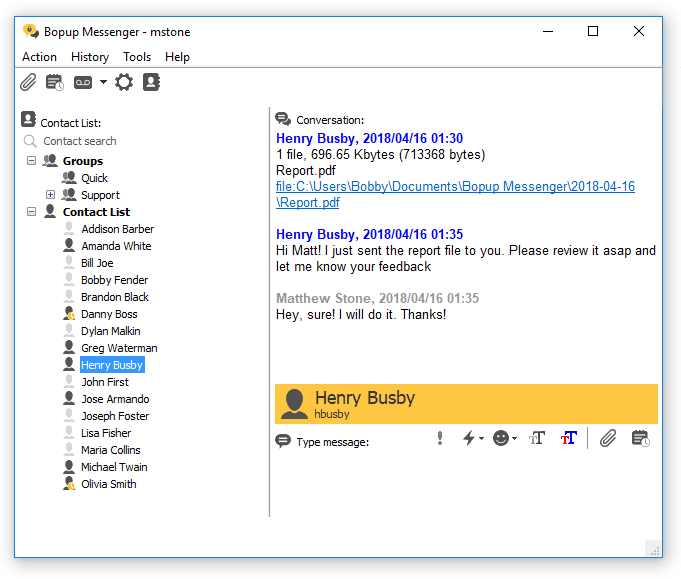
We are proud to announce new version 7.4.0 of Bopup Messenger client which now supports a single window mode.
Over the past years the messenger's user interface had not undergone global changes and included the main window with the user's contact list and separate chat dialogs with the ability to open several at once.
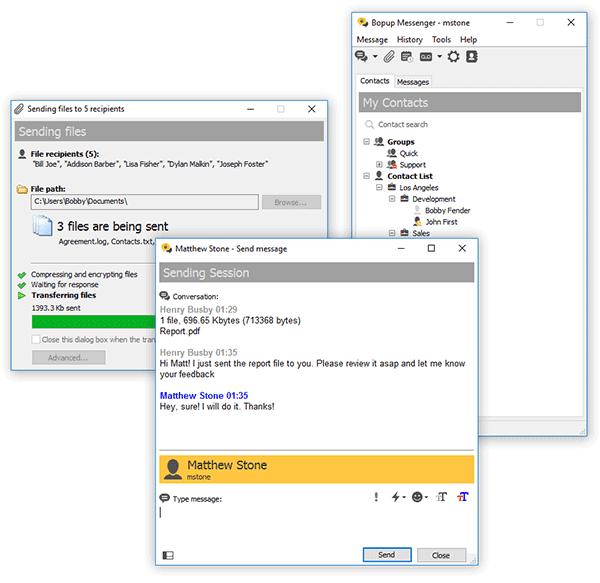 |
| Classic interface with ability to have several conversation windows in the messenger |
At the same time, thanks, among other things, to public messengers, instant messaging software started to use the interface with a single chat window. This became a de facto and affected, in turn, corporate IM software.
Therefore the new version of Bopup Messenger now supports a switch the interface mode within a single "All-In-One Chat" window.
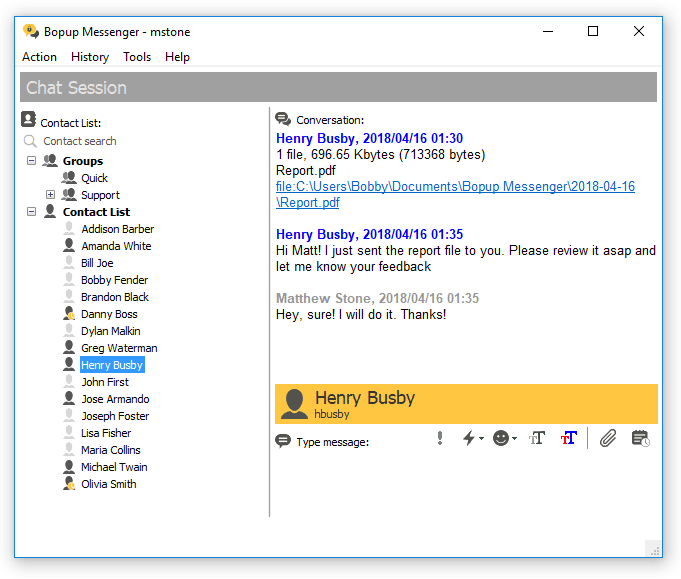 |
| "All-In-One Chat" interface mode in Bopup Messenger |
The new mode is activate through program settings on the "Interface mode" tab. The regular look-and-feel mode with few conversation windows is now called "Classic Messenger".
Within the new release of the IM client we updated Bopup Communication Server which includes new version of
IM Client Configuration Tool. It lets enable the appearance mode in the messengers remotely and centrally on the server.